Windows 10 End of Support: The Complete 2026 Decision Guide
Windows 10 support ended in October 2025 — yet millions of computers, quite possibly yours, still run it. What the security extensions actually cover today, who is genuinely at risk, and which of the 4 paths fits your situation.
Published
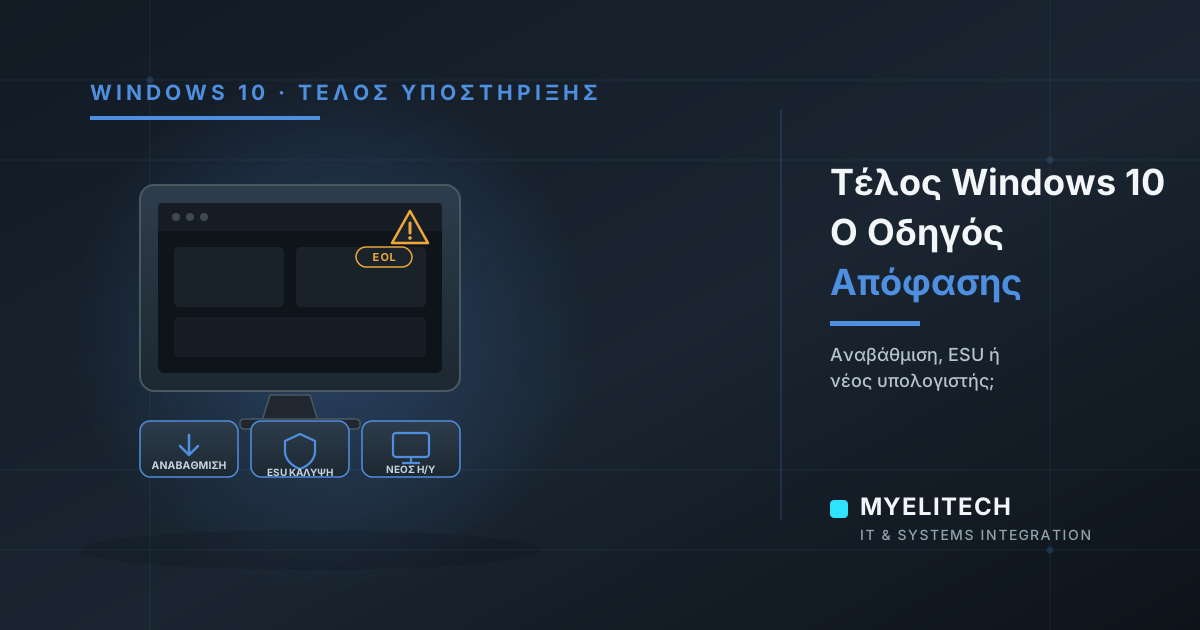
If you switch on a Windows 10 computer every morning, this article concerns you directly — and not for the reason you might think. Your computer is not going to suddenly "shut down." It will keep booting, keep running your programs, keep looking perfectly normal. And that very normality is what makes the situation treacherous: official Windows 10 support ended on October 14, 2025, and since then the world has split into two groups — those who have made the right moves, and those for whom the problem simply hasn't surfaced yet.
What "end of support" actually means
It doesn't mean the operating system stops working. It means something quieter and more dangerous: Microsoft stops fixing the security flaws that get discovered. And flaws get discovered constantly — in every operating system, every month. On supported systems, they get closed with updates. On unsupported systems, they stay open. Forever.
Think of it as a house where the locksmith stopped coming: the locks you have today still work, but every new "skeleton key" circulating out there will open your door — and no one is ever coming to change the lock. As time passes, the open flaws accumulate, and attackers prioritize exactly these systems — because they know those doors no longer get fixed.
The timeline — and the quiet extension that changed the picture
Microsoft had announced the end of support years in advance, and in October 2025 it followed through. At the same time, it activated a bridge program, ESU (Extended Security Updates): a continuation of critical security fixes only, with no new features and no technical support, for those who need transition time.
The original consumer coverage ran until October 2026. But in June 2026, Microsoft quietly extended the program for personal devices by another year — coverage now runs until October 12, 2027. Two points most people miss:
- Coverage is not automatic. It requires enrollment through the computer's settings (Windows Update → "Enroll now"). A computer that hasn't enrolled receives nothing — and has already missed every fix released since October 2025.
- For individuals in Europe, enrollment is free by simply signing in with a Microsoft account, and one enrollment covers up to 10 devices on the same account.
The critical distinction: individuals and businesses are NOT under the same regime
This is the point that confuses most business owners. The free program is for personal devices. Computers joined to a corporate management environment (domain, Entra ID, centralized management systems) are explicitly excluded — a business cannot "bypass" the transition by enrolling company machines under personal accounts.
For businesses there is commercial ESU: purchased per device, per year, with a cost that rises significantly each subsequent year, and maximum coverage until October 2028. The message behind that escalation is clear: ESU is designed to buy you transition time — not to let you stay on Windows 10 indefinitely.
Why the risk is multiplied for a business
- Ransomware & breaches: unpatched systems are the first target of automated attacks — and one infected device is enough to spread the problem across the entire network.
- GDPR & compliance: processing customer data on an operating system without security updates is hard to defend as an "appropriate technical protection measure" if an incident occurs.
- Software compatibility: progressively, business applications, banking systems, and peripherals stop being tested and supported on Windows 10 — problems will appear gradually, without warning.
- Insurance: cyber insurance policies increasingly require supported, updated systems as a precondition.
The 4 paths — and who each one is for
Path 1: Free upgrade to Windows 11 (if the machine meets the requirements)
For computers with a valid Windows 10 license, upgrading to Windows 11 is free. The condition is hardware: Windows 11 requires, among other things, a TPM 2.0 security chip, Secure Boot, and a relatively recent processor. The check takes two minutes with Microsoft's PC Health Check tool. Machines from the last 5-6 years usually pass; older ones usually don't.
Path 2: ESU as a bridge — with an expiry date and a plan
If the machine doesn't meet the requirements but is still reliable, ESU buys time: free until 2027 for personal devices, paid for corporate ones. The key word is "bridge" — if ESU isn't paired with a replacement plan, it merely postpones the same problem, with fewer options and more pressure later.
Path 3: Replacement — turning necessity into an upgrade
For machines 7+ years old, ESU costs and limitations are rarely worth it compared to a modern machine with an SSD, which will also transform day-to-day working speed. The critical part here is proper migration: data, programs, settings, printers — so the switch happens without a lost day of work.
Path 4: "Do nothing" — the most expensive of all
Without ESU enrollment and without an upgrade, the computer has already missed every security fix since October 2025. It works — until the day one of the accumulated open flaws gets exploited. And then the cost doesn't compare to any upgrade.
For businesses: the right plan in 4 steps
- Inventory: which machines run Windows 10, which meet Windows 11 requirements, which don't.
- Compatibility check: do your critical applications (POS, accounting, specialized equipment) work on Windows 11? This is checked BEFORE any upgrade, not after.
- Prioritization: first the machines handling customer data and payments, then the rest — staged, so cost is spread out and work is never interrupted.
- Clean migration: backup before every change, transfer of data and settings, secure disk wiping on retired machines (customer data doesn't get "thrown away" with the box).
How MyeliTech helps
At MyeliTech we handle the entire process: inventory of your fleet, hardware and software compatibility checks, enrollment in the appropriate ESU track where a bridge is needed, upgrades or new machine procurement, and migration with full data transfer — without lost working hours. With on-site service in Drama, Serres, and Kavala and remote support across Greece, through our PC & Laptop Service and Business IT Management.
Not sure which of the 4 paths your machine — or your business fleet — belongs to? Contact us via myelitech.gr for a free initial check and a clear plan, before the problem decides for you.
Frequently asked questions
It will keep working, but every new security flaw now stays open forever unless you've enrolled in ESU. Normal operation doesn't mean protection.
For personal devices in Europe, yes — by simply signing in with a Microsoft account, with coverage until October 2027. Corporate-managed machines fall under commercial ESU, billed per device per year.
With Microsoft's free PC Health Check tool — it shows within minutes whether the machine meets the requirements (TPM 2.0, Secure Boot, processor).
No; the right plan is staged, starting with machines that handle customer data and payments, so cost is spread out without disrupting operations.
No, with a proper process: a full backup is taken before any change, and data, settings, and applications are transferred to the new environment.
Related articles

The Question I Get Asked Most Often
"Is it worth fixing, or should I replace it?" I hear it almost every week, for 25 years now — about computers, servers, networks, even entire infrastructures. And every time, I resist the temptation to give the short answer the person in front of me wants to hear. Here's why.
Read more
Reach No Longer Has a Postal Code: The Digital Era of Regional Greece
For decades, all over the world, serious technology work was considered the business of major hubs. That era has ended — quietly. A view from Drama, Greece, on what the digital age means for regional areas, which of their advantages nobody talks about, and what every local business stands to gain.
Read more
Mandatory E-Invoicing in Greece: What Every Small Business Must Do Now
E-invoicing is progressively becoming mandatory for all businesses in Greece — even the smallest. What exactly changes, what your options are, and the technical groundwork you need to prepare before the deadline catches up with you.
Read moreNeed help with this?
See how we can help with: PC & Laptop Service
Ready to upgrade your infrastructure?
Let's talk about your business needs — no commitment.