Automation & System Integration: The End of Duplicate Data Entry
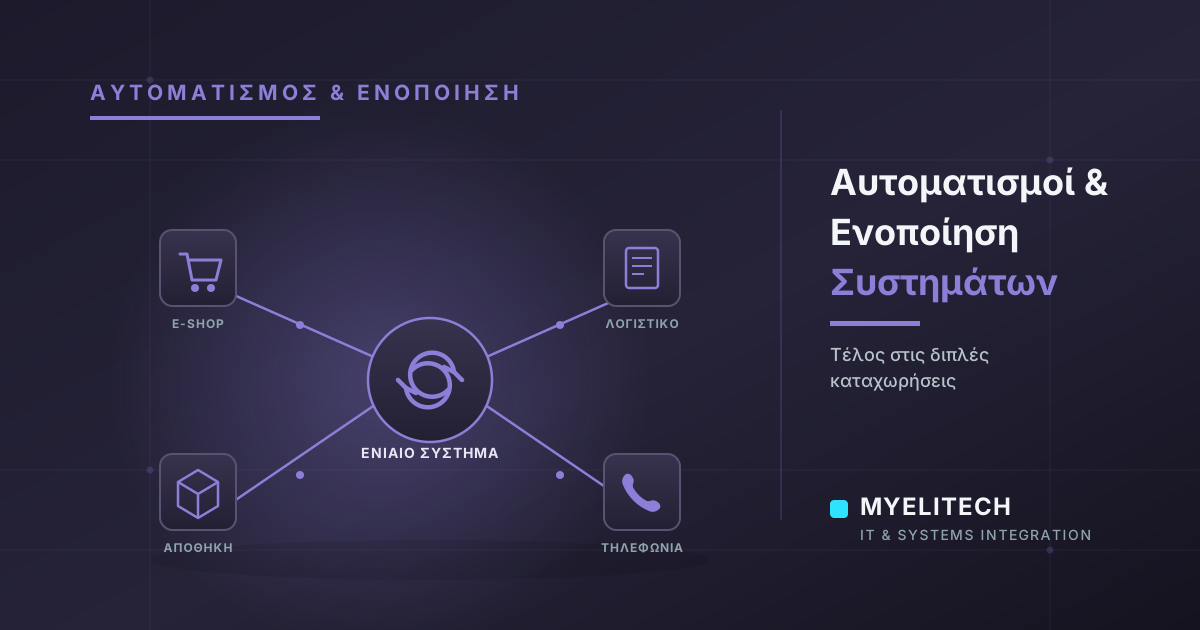
Accounting, warehouse, e-shop, phones: when every system lives in its own bubble, you lose hours daily to duplicate data entry. Here's how system integration fixes it.
Published
The problem: systems that don't talk to each other
In many businesses, every department works with its own tool: accounting has its own software, the store has its own point-of-sale, the e-shop runs its own platform, and the call center keeps its own customer records. Each system works fine on its own. The trouble starts when someone has to move information from one to another, by hand.
This is usually called a data silo: information that exists, but is locked inside one system and unavailable anywhere else without manual transfer.
What "system integration" actually means
Integration doesn't necessarily mean replacing all your software. It means building a bridge between the systems you already use, so data flows automatically instead of being typed in two or three times.
Example 1: Accounting ↔ Warehouse ↔ E-shop
An order comes in through the e-shop. Without automation, someone has to re-enter it into the warehouse system, then update accounting for the invoice. With integration, the order is entered once, and everything else updates automatically: stock decreases, the invoice is generated, the customer is notified.
Example 2: CRM ↔ Phone system (VoIP)
When the phone rings, the employee automatically sees who is calling, their purchase history, and any open issues, without asking "who am I speaking with?" This saves time and improves the quality of customer service.
Example 3: Loyalty program ↔ POS/ERP
Every purchase automatically credits points to the customer, without anyone manually logging them in a separate spreadsheet. Fewer errors, less time spent, and a better customer experience.
The real benefits
- Less time spent on repetitive manual work
- Fewer human errors (wrong quantity, wrong price, forgotten entry)
- Real-time data, with the same picture across every department
- Your team's time goes toward work that actually needs human judgment, not copy-pasting
Where to start
You don't need to change everything at once. The right approach is gradual:
- Step 1: Map your existing workflows — which systems you use, and where duplicate entry happens today
- Step 2: Identify the points that cost the most time or cause the most errors
- Step 3: Start with a pilot integration in one area, test it, and expand gradually
The takeaway
Automation isn't a luxury reserved for large companies. Even a small bridge between two systems can save hours every week. The important thing is to start where it hurts most today.
Frequently asked questions
Not necessarily. In most cases we build a bridge between your existing systems, without requiring any software changes.
It depends on the systems and complexity involved. A simple integration between two systems can be completed in a few weeks, always starting with a pilot test.
Yes, as long as the connection is designed properly, with access control and encryption where needed. Security is always reviewed before implementation.
Any business using more than one system (e.g. POS and e-shop) can benefit, regardless of size.
Related articles

GDPR & Personal Data Protection: What Every Small Business Should Know
GDPR isn't just for large organizations. See what it actually means for a small business, the most common mistakes, and how MyeliTech helps you comply without the stress.
Read more
Digital Transformation for SMEs: How an Infrastructure Audit Drives Measurable Results
Digital transformation doesn't have to mean risk or downtime. See how a proper infrastructure audit lays the groundwork for safe, gradual change with visible results.
Read more
Digital Transformation: Where a Business That Wants to Change Should Start
Want to "go digital" but don't know where to start? You don't need a huge budget or to change everything at once. Here's how it's actually done, step by step.
Read moreNeed help with this?
See how we can help with: Business IT Management
Ready to upgrade your infrastructure?
Let's talk about your business needs — no commitment.