Email Security & Phishing: The Most Common Point of Attack
A malicious email needs just one click to open the door to your entire business. See how to recognize phishing, why it still fools careful people, and how to actually protect yourself.
Published
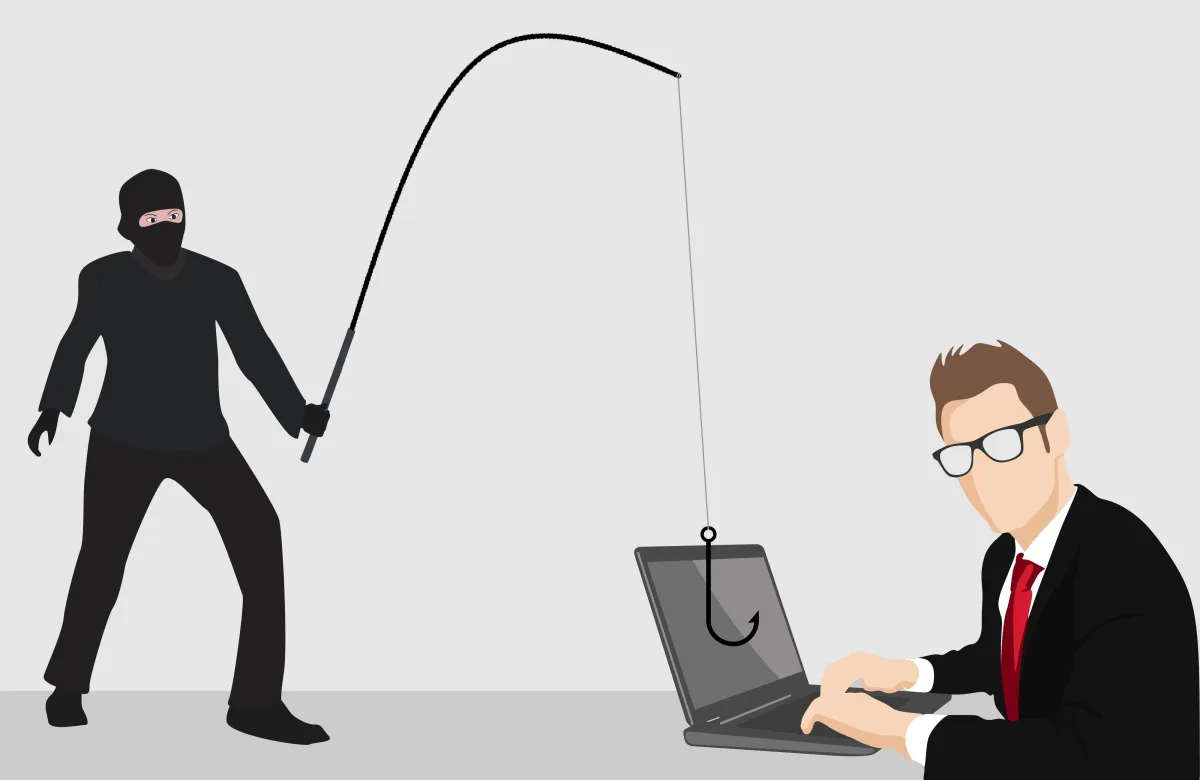
You don't need complex code or advanced technology to breach a business. You just need one employee, one moment of inattention, and an email that looks real enough to trust. Year after year, phishing remains the single most common point of entry for attacks against businesses of every size.
Why phishing still works, despite awareness
Phishing emails no longer look like the clumsy scams of the past. Today they precisely mimic real banks, suppliers, even colleagues — with logos, language, and formatting that's hard to tell apart at a quick glance, especially during a busy workday.
The most common forms of phishing targeting businesses
- Fake invoice or payment request: "Please confirm the bank account for the payment" — often impersonating a real supplier.
- Fake notice from "IT" or "your account": "Your account will be locked, click here to confirm" — aimed at stealing your password.
- "Urgent" request from a "manager": an email that appears to come from a senior executive, requesting an urgent money transfer or sensitive data, often timed when the real sender is hard to verify.
- Malicious attachment: a file that looks innocent (invoice, résumé, receipt), but contains malware.
Warning signs that give away a phishing email
- A sender address that looks almost right, but with a small difference (e.g. one letter off).
- A sense of urgency or pressure — "immediate action required," "your account will be locked in 24 hours."
- Links that, when hovered over (without clicking), lead to a different address than the one displayed.
- A request for information that wouldn't normally be asked for by email (passwords, banking details).
- Unusual language or tone, even if it appears to come from someone you know.
Why technology alone isn't enough
Spam filters and email security tools catch the majority of attacks, but not all of them — especially the most targeted ones. The weakest link is almost always still the human being. That's why proper protection combines technology with staff training.
Practical protection steps
- Email filtering & protection at the system level, before a malicious message even reaches the inbox.
- Two-factor authentication (2FA) on email, so a stolen password alone isn't enough for access.
- Second-channel confirmation for any payment request or change of banking details — a confirmation phone call before every money transfer.
- Regular staff briefing on current phishing tactics, not a one-time training session.
- A clear reporting process so every employee knows what to do if they've already clicked something suspicious, without fear of "punishment."
What to do if someone has already clicked
Speed of response matters more than anything else. Changing the password immediately, notifying your IT partner, and checking for unauthorized access can significantly limit the damage — as long as there's no delay caused by embarrassment or fear.
How MyeliTech protects your business email
Through the Data Protection service, MyeliTech configures proper email filtering, 2FA, and security policies, while also briefing your staff on the latest phishing tactics — because the best defense combines the right technology with informed people.
Request an email security check for your business via myelitech.gr.
Frequently asked questions
Carefully check the sender's address and never click links requesting passwords; contact the bank directly if you're unsure.
Not on its own; it takes a combination of email filtering, 2FA, and staff training.
Change the password immediately, notify your IT partner, and check for unusual account activity.
Yes, staff briefing is part of the overall security approach we offer.
Related articles
Passwords & Password Managers: Why "Kostas1975" Is Exposing Your Business
The same password on ten accounts, written on a sticky note next to the screen. Sound familiar? See why the passwords we "remember" are the number one security gap, what a password manager is, and how a business puts its credentials in order once and for all.
Read more
Cybersecurity for Small Businesses: 5 Threats You Don't See
You don't need to be technical to protect your business. Learn the 5 most common threats and the simple steps that make the difference.
Read more
When It's Worth Investing in an Online Store (E-shop)
A modern e-shop is more than a "digital storefront" — it connects to your accounting/ERP system and to AADE. See when investing in an online store actually pays off and what it takes to run one properly.
Read moreNeed help with this?
See how we can help with: Data Protection & Backup
Ready to upgrade your infrastructure?
Let's talk about your business needs — no commitment.